There for you even without AI
Workshop, Library, radio, news and read-aloud work without any AI – no account, no cost, much of it even offline.


Your companion for everyday life – with and without AI
The Companion does a lot without any AI: explains your PC in plain words, finds your documents again, plays the radio and reads you the news. And when you do ask the AI, Merlin and the Round Table make sure you ask the right questions – and that your data stays as safe as possible.
No command line, no tech knowledge, no installation marathon. One double-click and Merlin does the rest. Almost a little magical.
What makes the Companion special
Many AI assistants are built for tech fans: install first, then configure, then hope you find the right words. The Companion takes a different path.
Workshop, Library, radio, news and read-aloud work without any AI – no account, no cost, much of it even offline.
The Round Table and the Spellbook turn what you need into a good question for the AI. You don’t need to know how to “talk to an AI”.
Conversations encrypted on your PC, the key in the Windows vault, your documents stay at home. The AI only sees what you send it.
No Python, no terminal, no configuration files. One installer, one double-click – the voices are already included.
You see every cent the AI costs and set your own monthly limit. No subscription trap, no surprises.
A castle instead of menus, knights instead of settings dialogs, and voices that read to you. Technology may feel lovely, too.
The Round Table
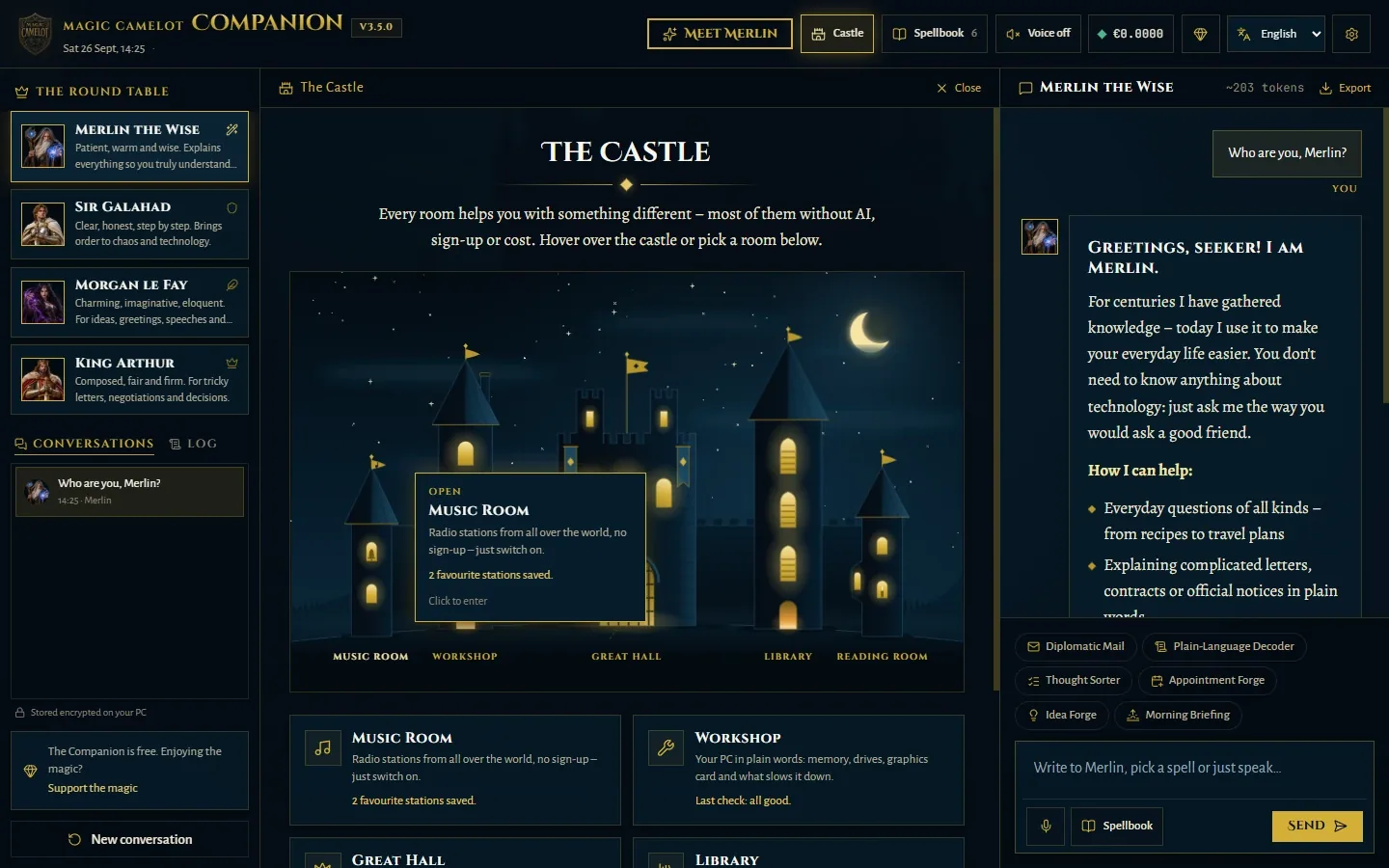
Everyone at the Round Table has a strength. Just pick whoever suits your request best – and switch at any time.

Mentor for every walk of life
Patient, warm and wise. Explains everything so you truly understand it.

Order, planning & tech
Clear, honest, step by step. Brings order to chaos and technology.

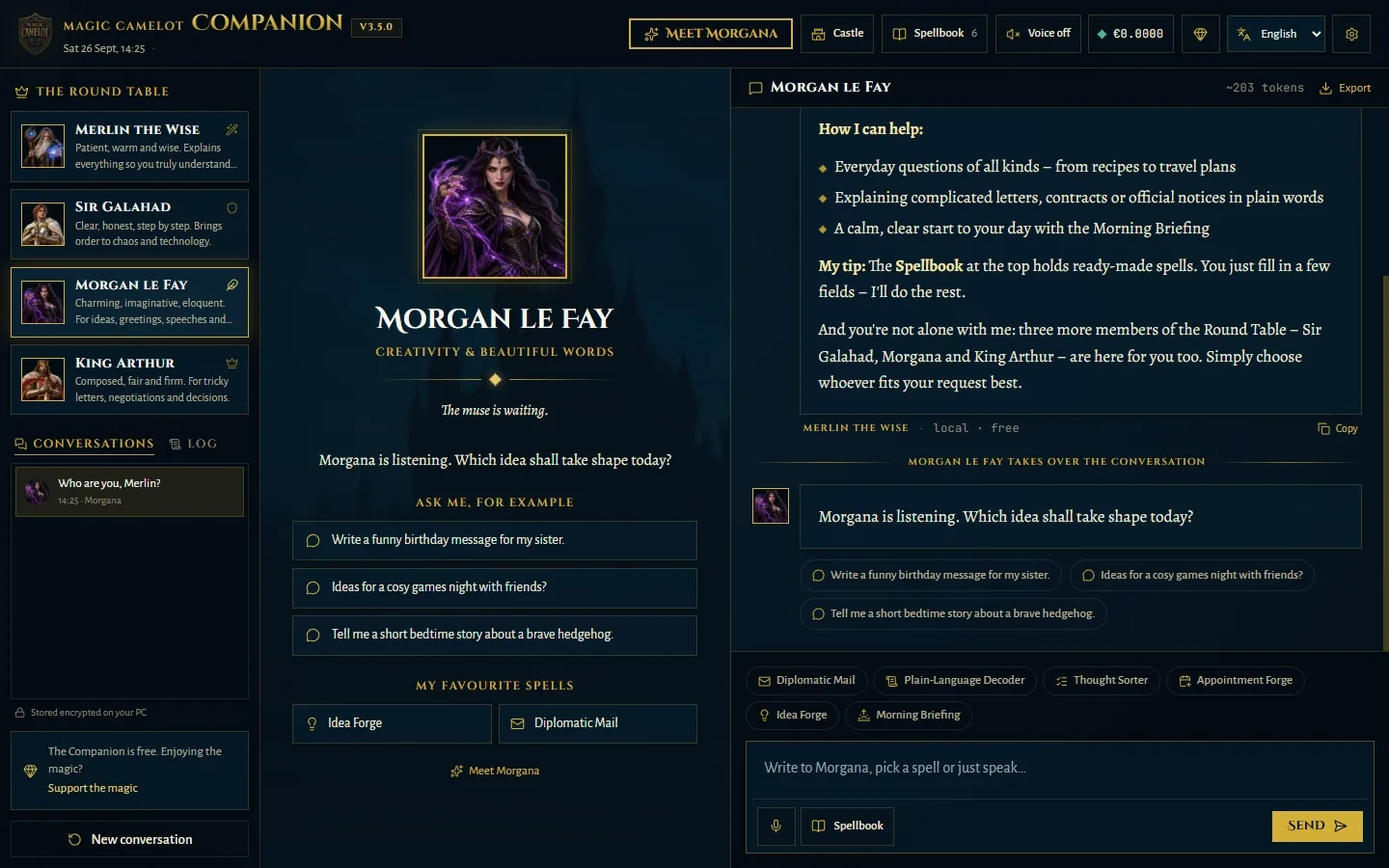
Creativity & beautiful words
Charming, imaginative, eloquent. For ideas, greetings, speeches and stories.

Diplomacy & wise decisions
Composed, fair and firm. For tricky letters, negotiations and decisions.
The rooms of the castle
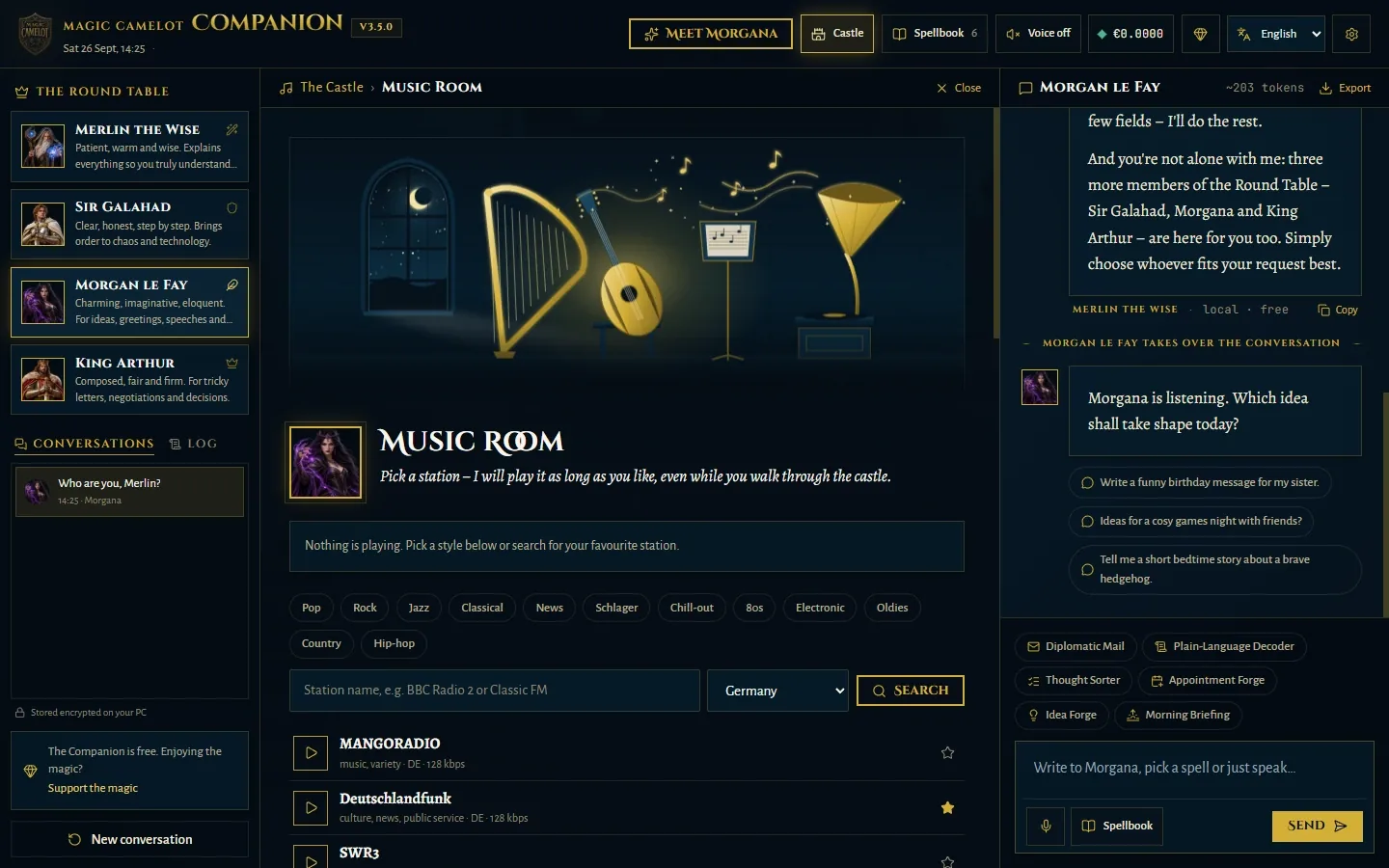
Hover over the castle and step inside. Most rooms work without any AI, sign-up or cost – that is what sets the Companion apart from pure AI programs.
Talk with the Round Table here: questions, spells and everything that needs words.
Your PC in plain words: processor, memory, drives and graphics card, what starts with Windows and what is slowing it down right now. Galahad gives you hints and opens the right Windows setting if you like. It only ever reads, never changes. Only when you choose “Explain this” does he ask the AI.
The folders you share, as a bookshelf. Find any document again – for Word and text files even by words inside the text.
Today’s headlines on topics you choose – straight from the sources, read aloud or summarised by the AI if you like.
Radio stations from all over the world: browse styles like jazz or news, search by name, keep favourites with a star. No account, no subscription, no AI. The music keeps playing while you walk through the castle, and turns down when someone reads to you.
The rooms of the castle
Radio stations from all over the world: browse styles like jazz or news, search by name, keep favourites with a star. No account, no subscription, no AI. The music keeps playing while you walk through the castle, and turns down when someone reads to you.
The Spellbook
No guessing what to type to the AI: fill in a few fields and the spell does the rest.
Bullet points – or anger – become a composed email, opened in your mail program with one click.
An official letter, a contract or small print? Translated into plain English.
Messy notes become a clear to-do list, sorted by importance.
Instantly creates a calendar file to double-click – for Outlook, Apple or Google.
Fresh ideas for gifts, parties, projects or names – to fit your situation.
Your start to the day: date, weather, a small plan and a kind word.
Privacy, honestly explained
We run no server that sees your conversations, and we don’t want to know anything about you. Here is exactly how it works:
Your conversations are stored encrypted on your computer. The key is kept in the Windows vault. You can delete any conversation at any time.
The Companion keeps your AI access key encrypted in the Windows Credential Manager – not in the cloud and never in plain text.
The library only reads the folders you share and changes nothing. The index stays on your PC. The AI does not see your documents.
The voices come with the app and run entirely on your computer.
You don’t sign up anywhere with us. The Companion sends us no usage data. At start-up it only loads a signed list of recommended AI models from our website – without any identifier.
You can always see what the AI has cost – today, this week, this month. With a monthly limit, the AI pauses before it gets expensive.
And to be completely honest: So the Round Table can answer, your message goes encrypted to the AI service OpenRouter and from there to the chosen AI model – like with any cloud AI service. For radio, news and weather the Companion asks the provider directly; for the weather only with the name of your town. Everything else stays on your computer.
As easy as that
Download the installer and open it with a double-click. It sets everything up for you – the voices too. There is nothing else to install.
Merlin welcomes you and asks a few things: your language, how you’d like to be addressed, your town for the weather. You set up the AI key together, step by step.
Just ask away, open the Spellbook or look around the castle. Without a key you can try everything in practice mode – for free.
What does it cost?
The app
Free
No subscription, no ads, no hidden costs. Castle, Workshop, Library, radio, news and read-aloud cost nothing.
The AI
Pay only for what you use
For the Round Table’s answers you top up a small credit at OpenRouter. On the “Thrifty” level an answer usually costs a fraction of a cent. The cost brake keeps watch.
If the Companion helps you, we are happy about a voluntary contribution. It is entirely optional – the Companion stays free either way.
Frequently asked
No. The Companion is made for people who don’t care much for technology. Merlin guides you through everything on first start, and the Round Table explains in plain words.
OpenRouter is a service through which the Companion reaches different AI models. With your own key you pay them directly and only for what you actually use – no subscription and no detour through us. Merlin shows you step by step how to get one during setup.
Yes. In practice mode you can look around at your leisure and use all the rooms. Only the AI’s answers need a key.
Partly. Read-aloud, the Workshop and the Library work offline. The AI’s answers, radio, news and weather need a connection.
Only if you allow it. The library sees nothing but the folders you explicitly share, and changes nothing. You can remove any folder again.
For now it is available for Windows 10 and 11 only. A Mac version is planned.
Yes. Windows shows “Windows protected your PC” for new programs from small studios as long as they are not yet signed with a purchased certificate. Click “More info” and then “Run anyway”. Always download the Companion from this page only, so you know it is the original. The certificate is on its way.
Gladly – to your parents or friends, for example. Best share the link to this page, so everyone gets the current, unmodified version.
Ready for Camelot?
Free, for Windows 10 and 11. The installer sets everything up; you get updates here.
What you need